
CAS Primary Zone
Computing in primary school is all about giving children the chance to explore how the digital world works and helping them find their place within it. From their earliest experiences, children begin to realise that technology is not just something happening around them. It is something they can shape, question and use to bring their own ideas to life. Through stories, role play, time with digital tools and plenty of playful problem solving, they start to build confidence and curiosity. They learn they can create things, try out new approaches and use technology to support others, all while beginning to understand how to stay safe online.
Our support for primary computing grows from these ideas. We want to help teachers spark curiosity, creativity and responsible digital citizenship, so every child can feel like an active part of today’s digital world. Whether pupils are developing their computational thinking, exploring how technology helps people or creating digital content with purpose, these early experiences set the foundations for future learning and life beyond the classroom.
What's New in Primary at CAS
Keep up to date with our latest Resources, Events, and News highlights for Primary:
-
Primary AI Literacy Appendix - This guide maps key AI messages to the latest RSHE curriculum and Education for a Connected World framework, with practical resources to bring lessons to life
- Selection with micro:bit - Get started with using your micro:bits and explore selection
- How Computers Learn - Help young learners explore how computers recognise images with Barefoot’s new AI lesson for KS1
- Coding for Climate Action - use real-world environmental challenges to add meaningful context and bring physical computing to life in your classroom - 21st April 4.15 - 5 pm
- Inclusive Tools to Help All Students - explore how Kami's free tools can be used to remove barriers for learning across the curriculum - 19th May 2026
Attend our Events
We have a full programme of Primary focused events that you would be welcome to join.
You can view and book onto our upcoming events on the main community page.
You can access recordings, slides and summary blog posts for previous events run through this community at the bottom of this page.
Primary Resources
A collection of online resources, some of which are very addictive, to allow learners to develop their mouse skills.
A list of engaging online resources designed to develop pupils procedural fluency with typing.
Introduce the concept of decomposition to your learners with this rousing song.
Decomposition singalong tackles problem solving + computing
Find out how to develop computational thinking learning from a range of popular EYFS and Key Stage 1 picture books.
Explore how AI uses patterns to generate images in this engaging unplugged activity
Provide learners with a captivating entry to the world of AI by demystifying concepts and exploring how it can be used to solve problems.
AI Adventure: Explore, Create, Innovate
A great resource to introduce the concept of machine learning to pupils and allow them to train their own model and use this within Scratch.
Teachable Machine – Scratch Gatekeeper fun
A variety of activities, resources and advice to support teachers using micro:bits in the classroom.
Using Micro:bits in the Classroom
This engaging activity will allow pupils to apply computational thinking skills in an exciting way.
A collection of online resources, some of which are very addictive, to allow learners to develop their mouse skills.
An excellent example of how the contexts of other subject areas can be used to produce purposeful and engaging physical computing lessons for primary learners.
Inspire and engage you pupils through the set of micro:bit activities focus on project based learning.
Unlock the world of Artificial Intelligence with our exciting, new resource designed for students aged 9-12 year olds. This resource contains two teaching units designed to introduce pupils to the world of AI: one written with computing specialists mind; the other for the non-specialist teacher.
AI Adventure: Explore, Create, Innovate
Jo Hodge’s presentation in which she shares examples of how she has used a range of physical computing devices for cross-curricular projects in the classroom
Ideas for activities for Crumbles, Spheros and Micro:bits
If you have a mobile touchscreen device of any sort, Rachael Coultart provides a current selection of apps that can play a valuable role in an Early Years setting, stimulating curiosity and opening up a world of opportunities. Most are ‘free’ or have a ‘lite’ version that you can try before you buy, which is always recommended.
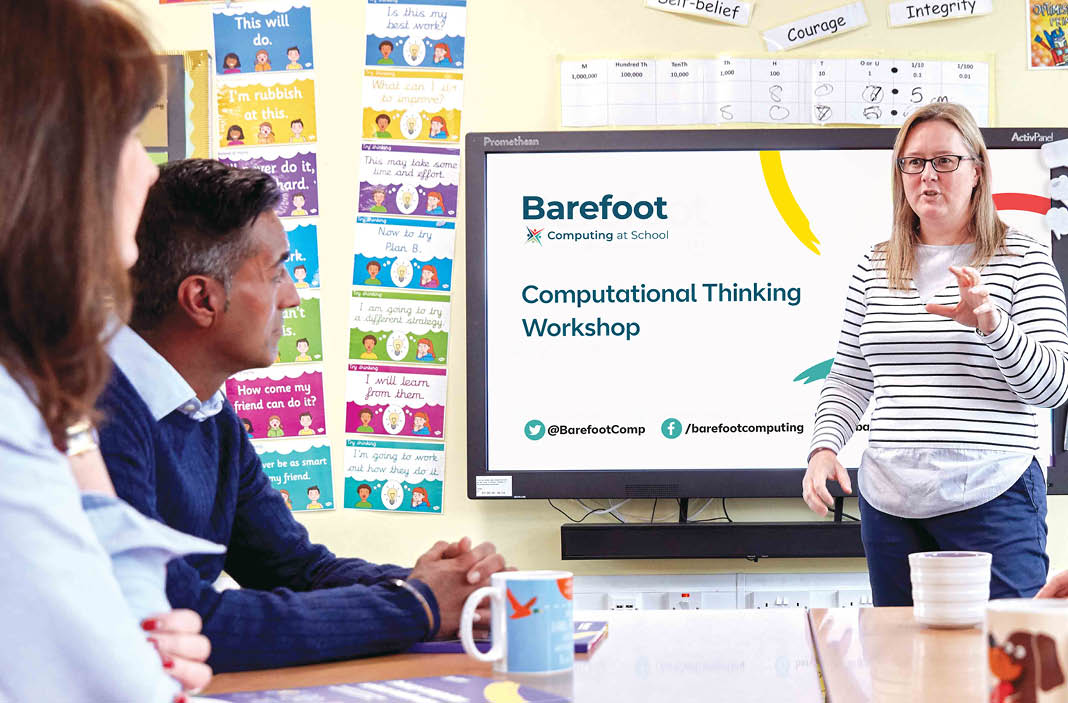
Recap of a CAS Online Community meeting exploring how primary schools can evidence the Digital Skills and AI benchmark within the Computing Quality Framework.
Evidencing the Digital Skills and AI Benchmark in Primary Schools
A recap of a CAS thematic community meeting exploring the new Ofsted inspection framework and what it means for computing teachers in primary and secondary schools.
Embracing the New Ofsted Framework: What You Need to Know
A recap of the 'Developing and Implementing an AI Strategy in Schools' meeting, covering key discussions on AI literacy, governance, and strategic implementation for schools.
Developing and Implementing an AI Strategy in Schools
A recap of the CAS community meeting “AI Implementation and Case Studies,” exploring how Cornerstone CE Primary School uses AI to enhance teaching, learning, and leadership.
Join us for the first of two Online Safety meetings ahead of February's Safer Internet Day where we have invited those from organisations with a range of online safety resource to showcase some of their materials to the community. In this session we will be looking at Project Evolve and Barefoot's cyber resources
Online Safety with Project Evolve and Barefoot
Catch up on the second Online Safety Primary Meeting ahead on February's Safer Internet Day. In this session Parent Zone and Common Sense Media shared some of the Online Safety resources that can be used for Safer Internet Day or to enrich your e-safety curriculum. This was second of two online safety meeting we hosted in January.
Led by Ben Davies, Primary Computing Subject Lead at CAS, the session explored the Carbon Quest resource, which is now available on the Barefoot website.
Exploring Carbon Emissions in Schools with the New Barefoot 'Carbon Quest' Resource
Join us for an exciting hands-on webinar designed exclusively for primary teachers! Discover how PictoBlox’s Computer Vision extension can bring AI to life in your classroom. Learn how to create interactive AI projects that recognize celebrities, brands, landmarks, and objects.
Bringing AI to Your Classroom: Hands-on with PictoBlox
Led by Matt Wimpenny-Smith from Oxford Brookes University, the session focused on the best practices for teaching Scratch and other programming languages, aligning closely with the Ofsted research review on computing.
Missed our recent online community meeting? This blog recaps how teachers can use commercial video games to support programming concepts in primary computing.
Video Games in Primary Computing
Catch up on our VEX Primary Robotics community meeting—exploring how programmable robots and free online tools can enhance primary computing through hands-on and virtual learning.
A recap of a CAS Online Community meeting exploring how Canva’s templates, AI tools, and code features can support creative, efficient, and thoughtful computing teaching.
Canva Education: Reimagine learning
This blog recaps a thematic community meeting on introducing AI to primary and KS2 education, highlighting hands-on activities, ethical discussions, and real-world applications.
Join Phil Howell and Mel Farrington from the Raspberry Pi Foundation as they discuss the free online Code Editor they’re creating to make learning text-based programming simple and accessible for young people.
Raspberry Pi Foundation Code Editor for Python & HTML
Join Becky Patel, Head of Education and Learning for the charity Tech She Can as she explains how to use the freely available Tech We Can educational resources to inspire children to consider a future career in technology.
STEM Careers inspiration for children with Tech She Can
In this introductory webinar led by Helen Cotton, NCCE Gender and Inclusion specialist for primary, you’ll discover why it is important to empower girls in computing from a young age, and what you can do to make sure they feel they belong. You’ll find out how to bring I Belong to your school and the fantastic resources which will support you along the way. There will be a chance to ask questions and find out all you need to know before you dive into the programme.
Introducing I Belong for key stage 2
A practical look at how UK teachers are bringing esports into the classroom and beyond. This recap highlights key ideas from our recent CAS 3D & Gaming community session.
This blog recaps the 'Interactive 3D with Flock XR' thematic community meeting, exploring how this new block-based tool bridges the gap between Scratch and professional 3D platforms. With its focus on accessibility and engagement, Flock XR offers a promising way to introduce interactive 3D development in the classroom.